

Record a breach
Record a personal data breach, watch the 72-hour deadline for the report to the Data Protection Board, and copy the two drafts.
Record a personal data breach as soon as you become aware of it. The register counts down to the report due to the Data Protection Board of India, and drafts the report and the notice.
The product reports nothing for you
It sends nothing to the Board and notifies no one. You do both, then record here when you did.
Record the breach#
- Open Audit.
- In the Breach register panel, choose Record a breach.
- Type a short Title, such as
Exposed analytics export. - Set Became aware to when your organisation first knew.
- Fill in Happened (if known) and People affected if you know them.
- Fill in what you know so far in the description fields.
- Choose Record breach.
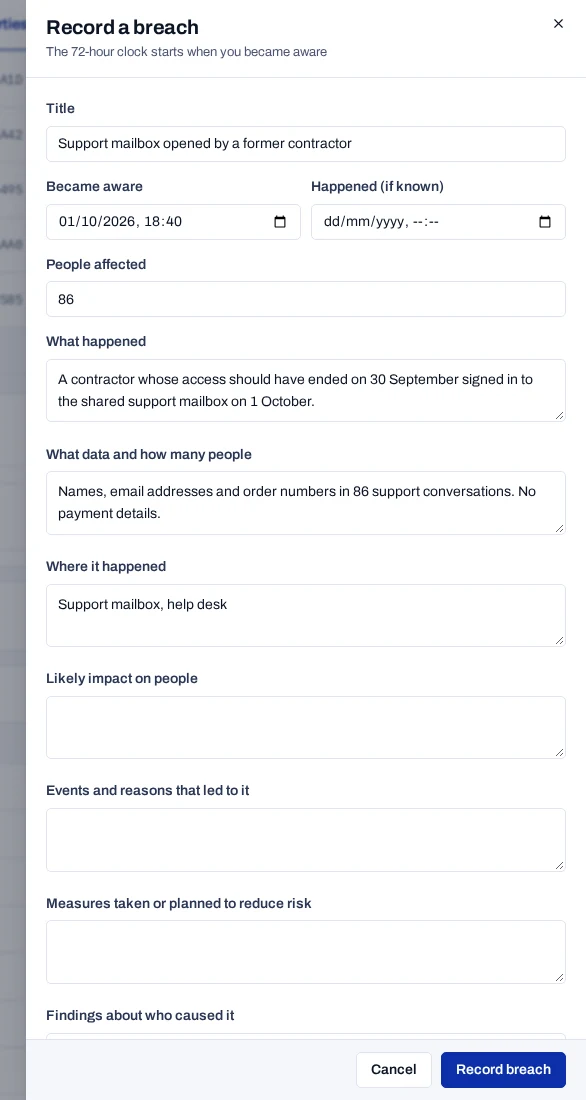
Only the title and the time are required. Save with those, and add the rest as you learn more.
Watch the 72-hour clock#
The clock starts at Became aware, not when you save. Under Rule 7 of India's DPDP Rules, the full report to the Board is due 72 hours later. Each breach shows a badge:
| Badge | Meaning |
|---|---|
| 48 h left to report | The hours that remain. The badge changes colour at 12 hours or fewer. |
| Board report overdue | The deadline has passed and no report date is recorded. |
| Reported to the Board | You recorded when the full report was sent. |

When 12 hours or fewer remain and no report date is recorded, your systems
receive the breach.report_due webhook once.
If the Board allows a longer period
Open the breach and fill in Longer period the Board allowed on written request. When that date is later than the 72 hours, the deadline moves to it.
Copy the drafts and record what you sent#
- In the Breach register panel, click the breach to open it.
- Choose Copy notice for the notice to affected people.
- Choose Copy Board report for the report, as structured data.
- Read both drafts and replace any stand-in text, such as "details to follow".
- Send the notice and the report through your own channels.
- Fill in Board told (initial), People notified and How affected people were told.
- Fill in Board full report sent. This stops the countdown.
- Choose Save.
The drafts are built from what you entered, and they update each time you save. They are a starting point, not legal advice. The notice names the privacy contact from your project settings. If none is set, the draft has a marked gap for you to fill.
Check dates before you save
You can change a saved date to another date, but you cannot clear it. Check Board full report sent with care, because it ends the countdown. Breaches cannot be deleted.
Send the notice to your systems#
Your systems can receive the notice to pass on, instead of a copy. Before
you start, subscribe an endpoint to breach.people_notice.
- Open the breach and fill in How affected people were told.
- Choose Send to your systems.
The event carries the notice, its SHA-256 and the breach. Your systems send it to each affected person. People notified is set to that moment if it was empty, and the method is recorded. Without an endpoint, nothing is sent and nothing is recorded.
Related#
- Run the DPDP check, which shows whether a breach is waiting for its report
- Read the audit log
- Manage webhook endpoints, for the
breach.report_duereminder andbreach.people_notice - Change project settings, for the contact named in the notice