

Add purposes
Add the reasons you use personal data to the purpose registry, from the library or your own, so consent forms can ask about them.
A purpose is one reason you use personal data, such as analytics or marketing. Add your purposes before you create a form. Every form in the project picks from the same registry.
Add purposes from the library#
The library holds ready-made purposes. Each has a description, the data it uses and typical partners.
- Open Settings, then choose Purposes.
- In the Purpose registry, choose Add from library.
- Tick the purposes you need. One marked Already added cannot be chosen again.
- Choose Add selected.
- Select each new purpose and check it against what your site does.
- Choose Save changes.
The registry lists each purpose with its Key, Category, Basis, Life in days and Vendors. Vendors are the purpose's partners.
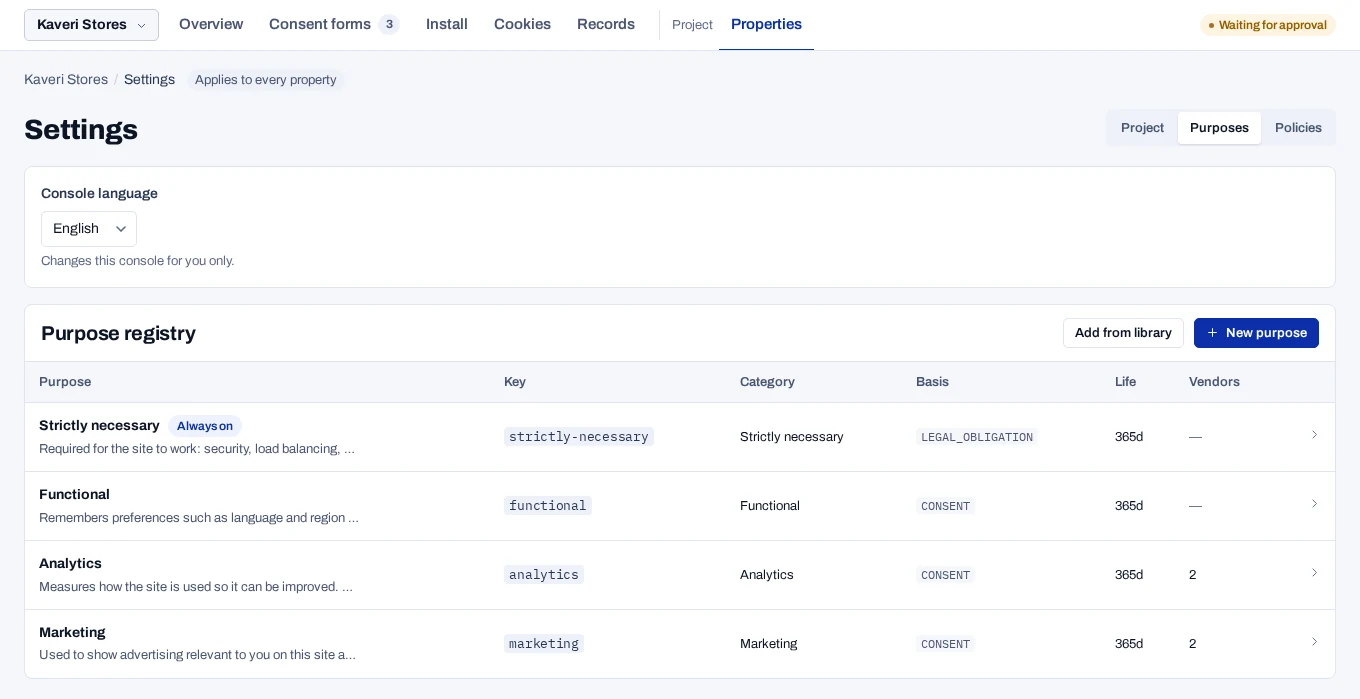
Check the partners on a library purpose
The partners on a library purpose are typical ones, not a record of what your site uses. Remove the ones you do not work with and add the ones you do.
Create your own purpose#
- In the Purpose registry, choose New purpose.
- Enter a Name. Visitors read it as the purpose's title.
- Check the Key, which is filled in from the name. It cannot change later.
- Write the Description in plain words. The banner shows it as written.
- Choose the Category and the Legal basis.
- Set How long a decision on this lasts, from 1 to 3650 days.
- In Data used, list the personal data, with commas between items.
- Choose Create purpose.
The purpose appears in the registry, and every form can now add it.
The key is the short name your developers' tags check, such as analytics. It is lower case with no spaces. Tags can also be held back by category.
A new purpose lasts 365 days. A form has its own limit too, and the shorter of the two applies.
Fill in the fields for India#
The console checks these fields when you publish a form shown in India.
- Description and Data used: fill in both for every purpose based on consent.
- Legitimate use relied on in India (DPDP Act section 7): choose the clause for any purpose with another legal basis. The field appears once the basis is not Consent.
- Children (India, DPDP Fourth Schedule): leave No exemption unless the Fourth Schedule covers you.
- Always on: the purpose cannot be declined. Use it only for strictly necessary processing, and never on a purpose based on consent.
Strictly necessary and Security and fraud prevention from the library are not based on consent. Open each one and choose its clause.
The full list of checks is in What a notice for India needs.
Change or delete a purpose#
Select a purpose in the registry to edit it. The change reaches every site and app that uses the purpose, but only after you publish again.
Publish the forms yourself
A published version keeps its purposes as they were on the day you published. Editing a purpose does not mark any form as having unpublished changes. Open each form that uses the purpose and publish a new version.
Some changes make returning visitors answer again. See Ask visitors again.
To delete a purpose, remove it from every form first. Then open the purpose and choose Delete.