

Change project settings
Open the project settings, change the privacy contact, deadlines and data handling for every property, and see each default.
Project settings apply to every property in the project. Change them when your privacy contact, your deadlines or the way you keep data changes.
Change a setting#
- Open Settings.
- Stay on the Project tab.
- Change what you need. The table below lists each setting.
- Choose Save settings at the bottom of the page.
The console shows Settings saved. Nothing is saved until then. If you leave with unsaved changes, the console asks Leave without saving?
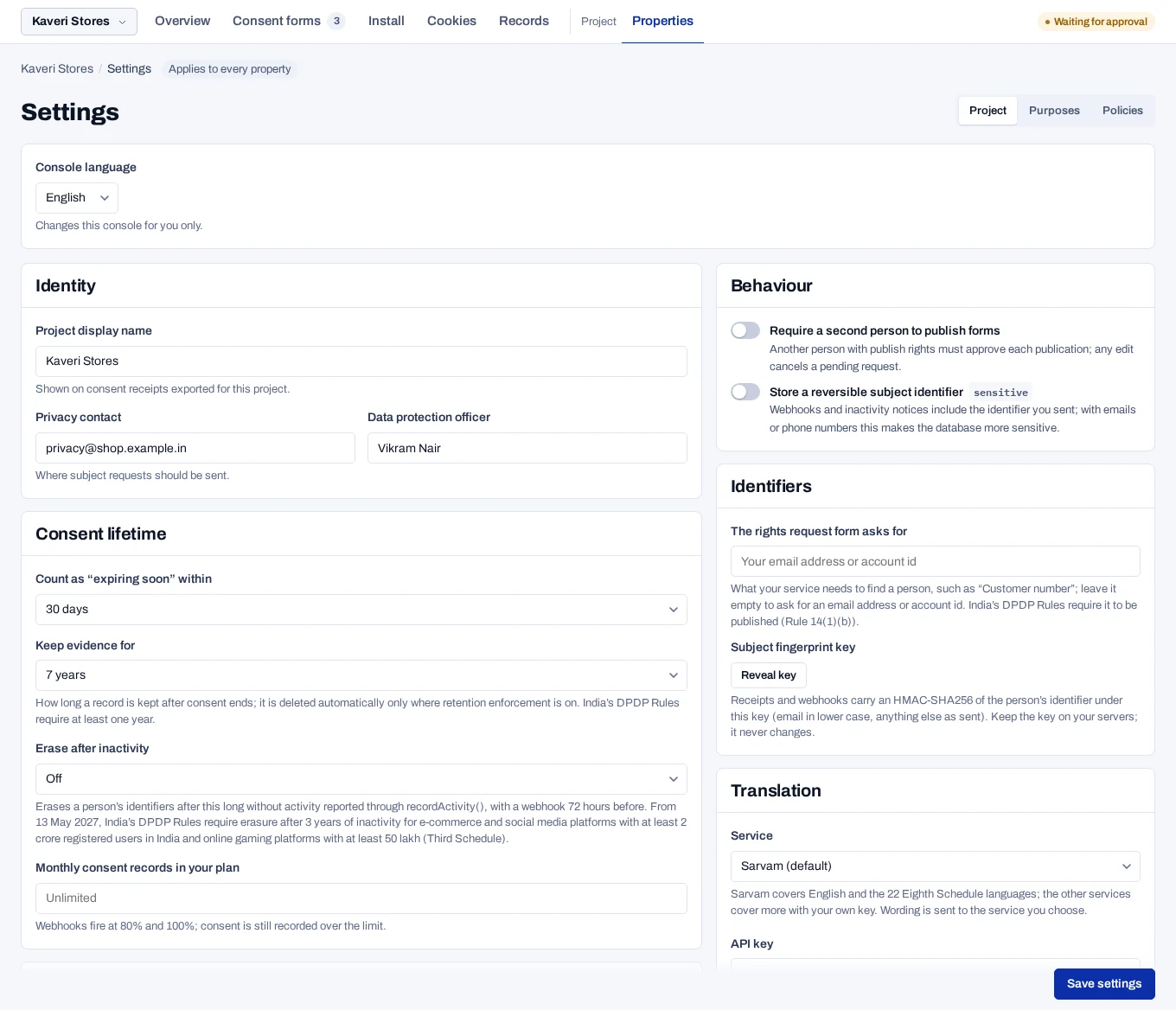
Settings and their defaults#
Project display name is your organisation's name as people see it. It appears on the hosted pages, in answers to rights requests and in breach notices.
| Setting | Default | What it does |
|---|---|---|
| Privacy contact | Empty | The email address that answers privacy questions. It goes out with every answer to a rights request and in breach notices. |
| Data protection officer | Empty | The name of your Data Protection Officer, or of the person who answers for you. |
| Privacy contact phone, Postal address | Empty | Shown on hosted pages and in request answers. |
| Grievance officer | Empty | Who handles grievances. Empty sends them to the privacy contact. |
| Count as “expiring soon” within | 30 days | Saved, but not used. The console always counts 30 days. |
| Keep evidence for | 7 years | How long a record is kept after consent ends. See Record retention. |
| Erase after inactivity | Off | Erases a person's identifiers after a time without activity. See Erase people after inactivity. |
| Monthly consent records in your plan | Unlimited | The number your plan includes. See Usage and limits. |
| Response deadline | 30 days | How long you have to answer a rights request: 30, 45 or 60 days. It applies to new requests only. |
| Require a second person to publish forms | Off | Another person must approve each publication. See Approve a publication. |
| Store a reversible subject identifier | Off | Keeps an encrypted copy of each identifier and adds it to webhooks. This makes the database more sensitive. |
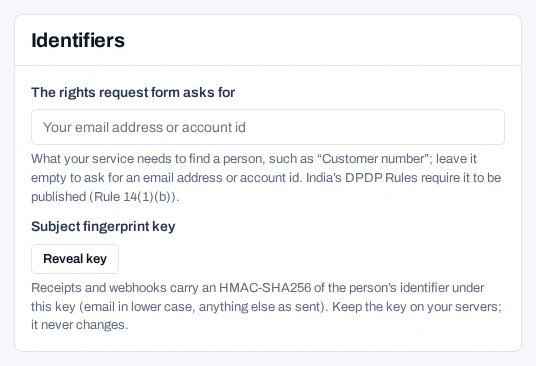
| The rights request form asks for | Empty | The label of the identifier field on the hosted request page, up to 120 characters. Empty asks for an email address or account id. |
| Translation Service | Sarvam | Drafts translations. See Set up the translation service. |
| CMP ID and CMP version | Empty, and 1 | Used by every form that turns on TCF or GPP. |
India needs a privacy contact
Under a DPDP Act region rule, the banner shows the privacy contact. The DPDP Act check fails A contact answers questions and rights requests while the field is empty.
Where your data is kept shows the region, country and hosting provider of the deployment, as its operator states them. You cannot change it here. It applies to every project on the deployment.
How long an answer lasts, double opt-in and languages are set on each form, not here.
To delete the whole project at the end of your contract, see Close a project.
Give developers the fingerprint key#
Receipts and webhooks name a person by a fingerprint: a keyed hash of their identifier. Your developers need the key to match a webhook to a customer.
- Open For your developer. In the Identifiers panel, choose Reveal key.
- Click the key to copy it.
- Pass it to your developers in a safe way.
Each reveal is written to the audit log. The key never changes. Keep it on your servers.
Console language and project id
Console language, below the panels, changes the console for you only, at once. In India it offers English and Hindi. Under For your developer, Scope shows the Project ID. Click it to copy it.