

Add partners
List the companies that receive data for a purpose, and let visitors switch each one on or off in the preferences.
A partner is a company that receives data for a purpose, such as an analytics provider. Add each partner to its purpose so visitors can see who gets their data.
Add a partner to a purpose#
- Open Settings, then choose Purposes.
- Select the purpose and find Partners.
- Choose Add partner.
- Enter the partner's name, such as
Google Analytics. The key is filled in from it, heregoogle-analytics. - Enter the address of the partner's privacy policy. It is optional and must be an
httporhttpslink. - Use the arrows to put the partners in the order visitors should see them.
- Choose Save changes.
The registry shows the new count under Vendors. To take a partner off, choose Remove beside it and save.
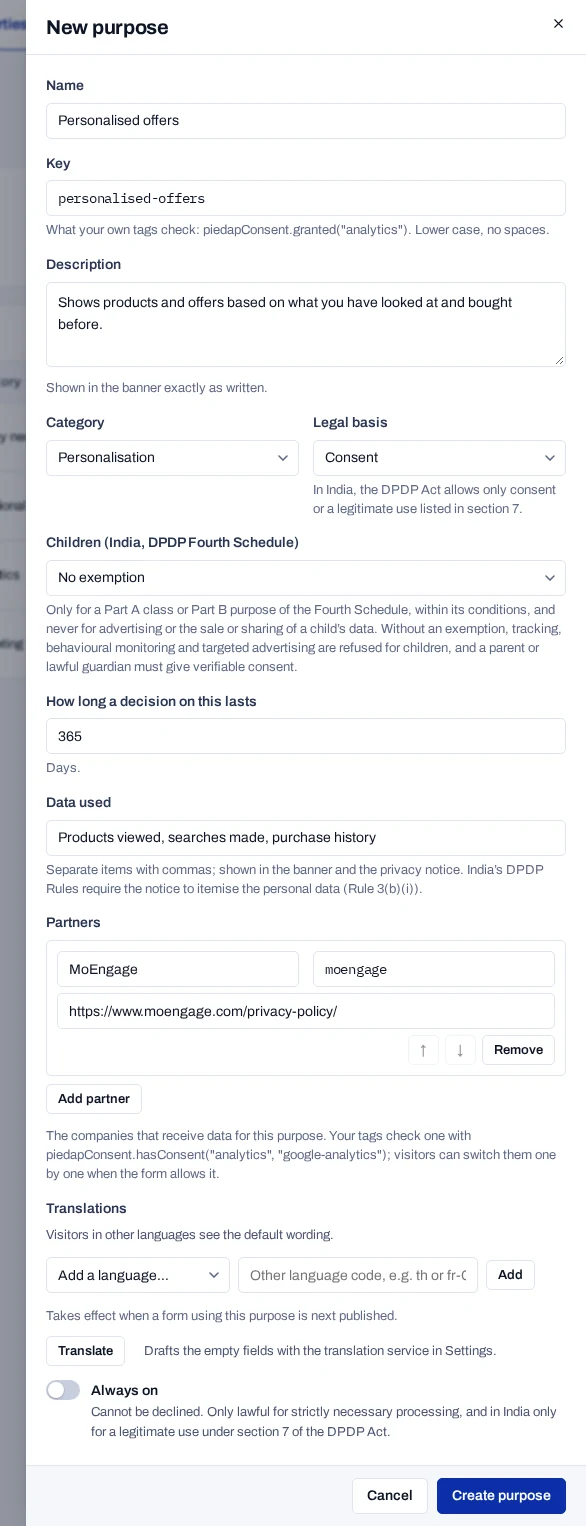
A partner key uses lower case letters, digits and hyphens. Each partner on a purpose needs its own key. Your developers' tags check a partner by this key, so tell them when you add one. Renaming a partner later does not change its key.
Let visitors choose partners one by one#
This setting belongs to the form, not the purpose. It is on for a new form.
- Open Consent forms and select the form.
- Choose Settings at the top.
- Turn on Let visitors choose partners one by one.
- Choose Save draft.
The change takes effect when you next publish the form.
What visitors see#
In the preferences dialog, each purpose with partners shows a Partners list and the number of partners. A partner with a privacy policy link is shown as a link.
With the setting on, the list becomes Choose partners and each partner has its own switch.
- Turning a purpose off turns off all of its partners.
- Allowing a purpose but switching off every partner is recorded as refusing the purpose.
- A purpose that is always on keeps the plain list.
When the change reaches visitors#
A published version keeps its partners as they were on the day you published. After you change a purpose's partners, open each form that uses the purpose and publish a new version.
Adding a partner is a material change, so returning visitors are asked again. Renaming one counts as adding a new partner. Removing a partner is not material, and earlier answers stand. See Ask visitors again.
To mark which partners process data on your behalf, so they get a task when a person withdraws or is erased, see Register your processors.