

Run the DPDP check
Check your site and your set-up against India's DPDP Act and Rules, read each result, and download the report for a reviewer.
Run the check before you go live in India, and again after you change a form or your site's tags. It compares your site and your set-up with India's Digital Personal Data Protection Act, 2023 and the DPDP Rules, 2025.
Before you start#
The check is complete only with both of these:
- a region rule that serves India under the DPDP Act. See Choose regions.
- a scan made as a visitor in India, which the steps below start.
Run the check#
- Open Trackers and choose Scan site.
- Under Start page, type the address of your site.
- Under Visit as someone in, choose India.
- Choose Start scan and wait for the scan to end.
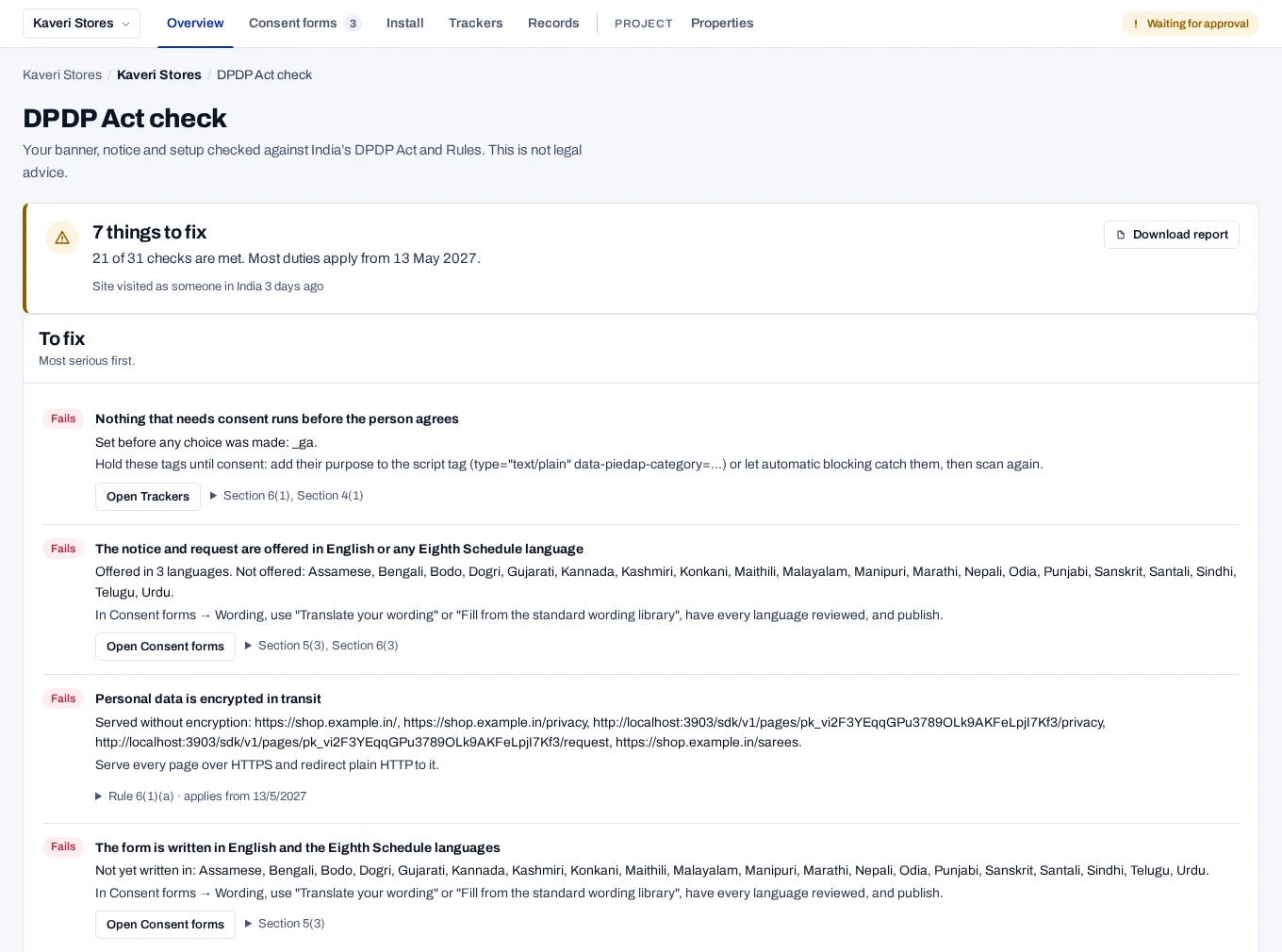
- Open DPDP Act check in the top bar. Trackers and the Overview also link to it when something needs fixing.
- Work through Fails, then Check. Each check has a link on the right that opens the page where you fix it.
- Open the line under a check to read the provision it rests on.
- Choose Download report to save the whole check as a file.
The report file is named dpdp-check- followed by the date. Keep it, or
share it with a reviewer. Its rules line names the rules version.
Read each result#
The top of the page says how many things to fix and how many checks are met, and the rules version and its review date. Under each title, the page says what was found. When something is wrong, it also says what to do.
| Badge | Meaning |
|---|---|
| Fails | The check found something that does not meet the provision. |
| Check | A person needs to look at this and decide. |
| Meets | The check found what the provision asks for. |
| Note | For your information only. |
| Not checked | The check could not run, most often because there is no scan yet. |
Checks that need a scan are grouped under checks need a scan of your site. Checks that are met, and notes, are folded under Met and for your information.
Not legal advice
Most duties apply from 13 May 2027, unless your operator set another date. The check is not legal advice.
Law updates, beside the check, lists each start date and period with its Gazette source. When they change, Law updates, the check page and the Overview show The DPDP rule set changed. Choose I have read this to clear it for the project. See DPDP rule set.
What the check covers#
| Group | Where it looks | Examples |
|---|---|---|
| Your site as seen from India | The latest scan | A notice comes with the request for consent. Nothing that needs consent runs before the person agrees. Withdrawing is as simple as agreeing. |
| Your setup | What is set up in the console | The notice is published. Each purpose itemises its data. A form that hides Reject all fails. A contact answers questions and rights requests. |
| Requests and breaches | Your day-to-day records | Open requests are within their period. Breaches are reported to the Board on time. |
If the check looks incomplete#
| What you see | Why | What to do |
|---|---|---|
| Setup only: your site has not been scanned yet | The property has no scan yet. The site checks are grouped as needing a scan. | Run the scan with India chosen. |
| A check about the region rule under To fix | No region rule serves India under the DPDP Act. | Choose Open Regions and add the rule. |
Related#
- Scan your site
- Choose regions
- Record a breach
- DPDP duties for notice and consent, for how the product relates to each provision