

Add a language
Offer a consent form in another language by typing the wording or filling it from the standard wording library.
Add a language when some of your visitors read one the form does not have yet. A visitor whose language you have not added sees the default wording.
Add a language and its wording#
- Open Consent forms and select the form.
- Open the Languages tab. The line at the top names the default language.
- Pick a language from Add a language…. If it is not listed, type its code, such as
thorfr-CA, and choose Add. - Type the wording for each field. Your default wording is shown beside it.
- Under Purposes, type each purpose's Name, Description and Data used.
- Choose Save draft.
The language shows how many fields are filled, and Needs review. A field you leave empty is shown in the default language.
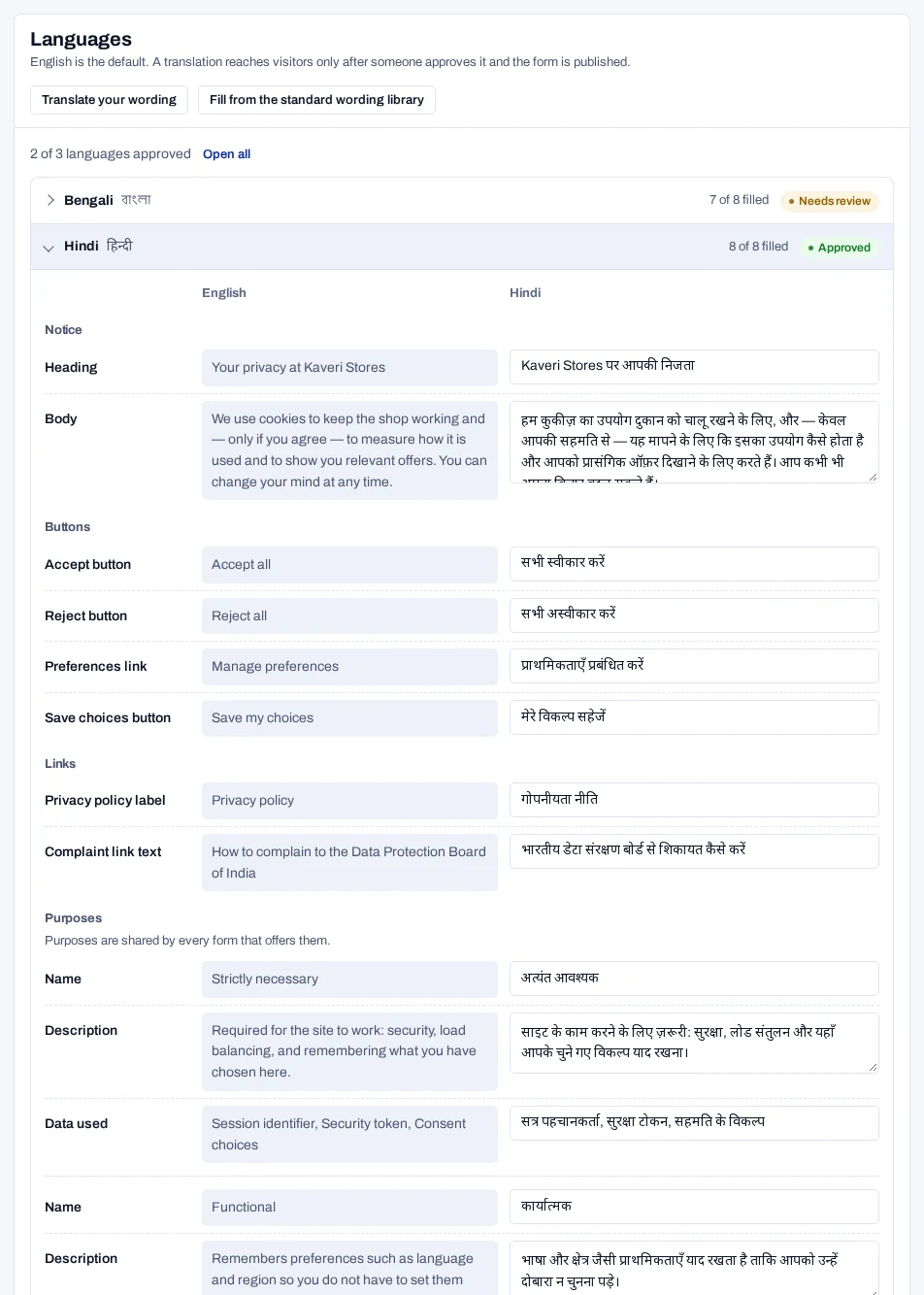
The language reaches visitors only after someone approves it and you publish. See Translate and approve a language.
To take a language off the form, open it and choose the remove button. The button names the language, such as Remove Hindi.
Fill from the standard wording library#
The library holds ready-made banner wording that is already translated. It covers English, all 22 Eighth Schedule languages and 23 others. It needs no translation service.
- In the Languages panel, choose Fill from the standard wording library.
- Remove the languages you do not want.
- Edit each language you keep so it matches your own heading and body.
- Choose Save draft.
It adds every language in the library
One click adds every language the library has, each waiting for review. The wording is standard text, not a translation of your own.
The library never overwrites wording you have written. It does not cover the complaint link text.
Six languages are machine drafts#
The wording for Bodo, Dogri, Konkani, Maithili, Manipuri and Santali was drafted by machine. No native speaker has reviewed it, nor these languages' built-in dialog labels. The console marks each of them Machine draft. Approving one asks you to confirm that someone who reads it has checked it.
Manipuri is written in Bengali script and Santali in Ol Chiki. The other four are in Devanagari.
Reword the dialog labels#
The text inside the preferences dialog comes built in, in every language listed under Add a language…. This covers its title, the "Always active" tag, the category names and the age question.
- At the bottom of the Languages panel, open Dialog labels.
- Add the language. English is in this list too.
- Type over the built-in text shown in grey.
- Choose Save draft.
Reworded labels in another language are published with that language, so approve it first.
Which language a visitor sees#
The runtime uses the first of these that it finds:
- A language your site passes in, if your developers set one.
- The language the visitor picked earlier in the language chooser.
- The browser's language.
The form is shown in that language if it is published in it. A regional variant falls back to its base language, so hi-IN gets Hindi. Otherwise the visitor sees the default language. Languages written right to left, such as Urdu, are laid out that way.
Visitors under a region rule with the law DPDP get a language chooser when the form is published in more than one language. Under any other rule there is no chooser.