

Publish a cookie declaration
Give each cookie and storage key a purpose, then add the cookie declaration to your cookie policy page so visitors can read it.
The cookie list is the table of cookies your visitors can read. It is built from what the scan found on the Trackers page, so it stays up to date as you decide what each item does.
Before you start#
Scan your site at least once, so the list has items in it.
Decide what each item does#
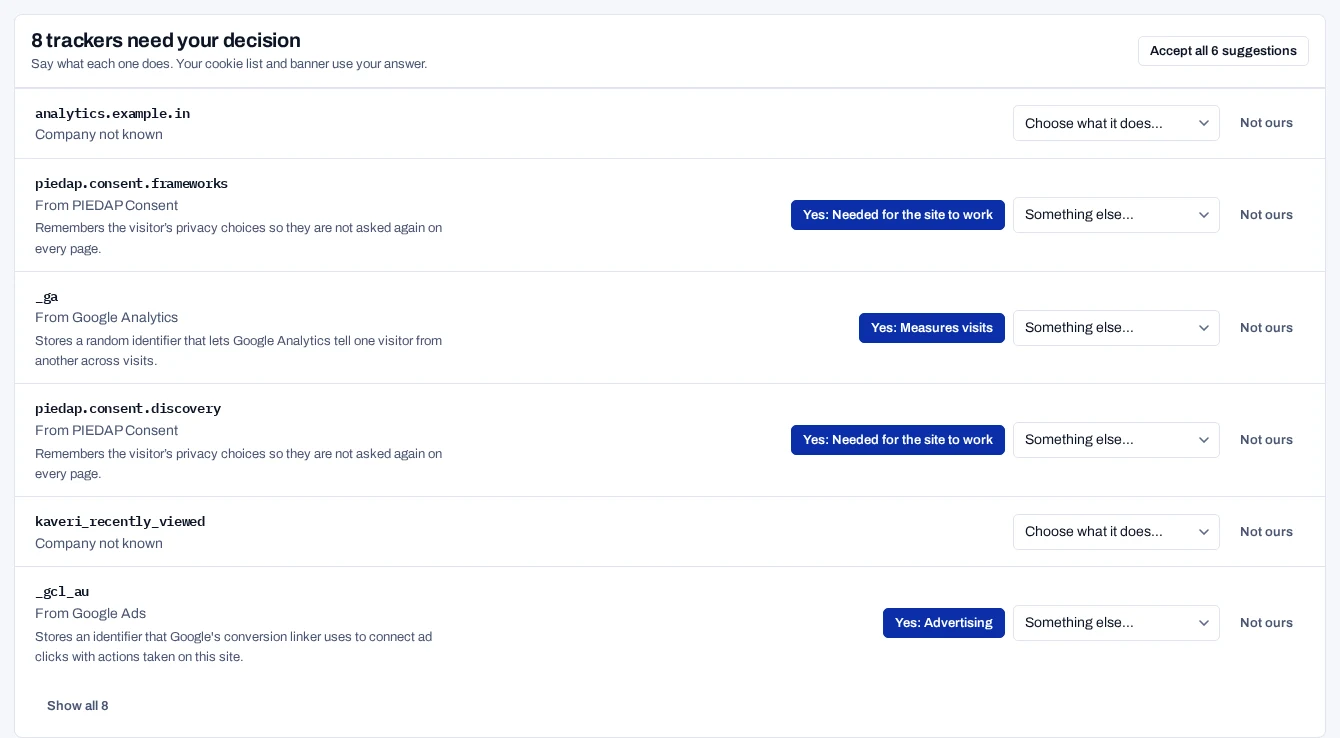
After a scan, Trackers lists the items that need your decision. Where the catalogue knows an item, it suggests a purpose.
- Open Trackers.
- To take every suggestion, choose the Accept all button above the list.
- Otherwise, for each item, choose Yes with the suggested purpose, or pick what it does from the list.
- Choose Not ours for an item that is not part of your site, such as a browser extension.
To change an item later, open Everything we found at the bottom of the page and choose its purpose in the What it does column. Your choice of purpose always wins over the catalogue's. To go back to the catalogue's answer, choose the entry marked (suggested).
Add the cookie list to your site#
- Under Cookie list for your policy page, choose Get the cookie list.
- Check the table. Items are grouped by purpose, each with its name, provider and lifetime.
- Choose Copy to copy the snippet.
- Ask your developers to add the snippet to your cookie policy page.
<div data-piedap-cookie-declaration></div>The consent script fills the snippet with the table. You do not need to copy it again when the list changes.
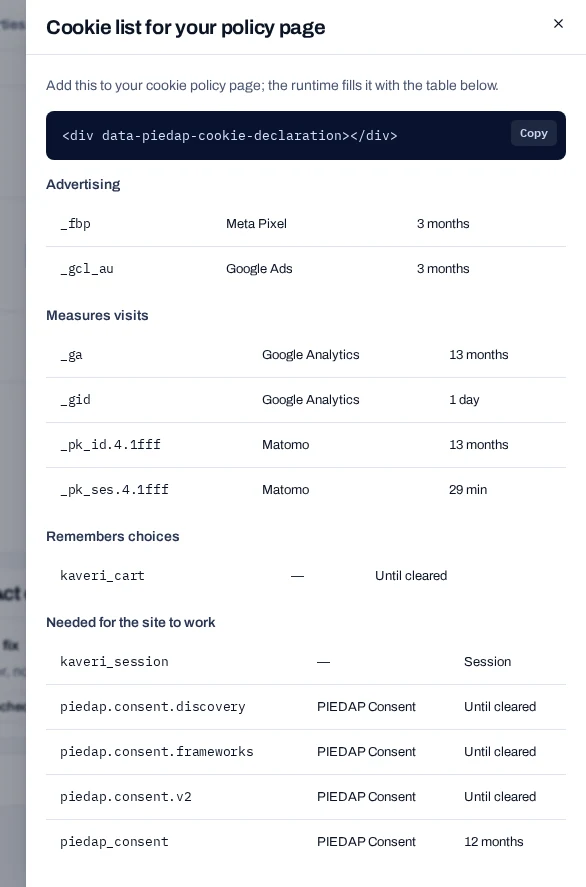
What the cookie list includes#
An item is in the cookie list when all of these are true:
- It is a cookie, a local storage key or a session storage key.
- It has a purpose, from the catalogue or from you.
- It is not Ignored.
Third-party hosts are not part of it. Items that need a decision are left out until you give them a purpose.
If the panel says Nothing to declare yet, scan the site first. Then decide what each item does.
The same list appears in the preferences dialog of your banner and on the hosted privacy notice.
Related#
- Scan your site
- Add purposes
- Run the DPDP check
- Link to the hosted pages, for developers