

Verify a receipt
Export a signed receipt for one consent record, and check that a receipt someone gives you is genuine and unaltered.
A receipt is a signed copy of one record that someone outside your company can check. Export one for an auditor or a regulator. Verify one when it comes back to you, or to show that it is real.
Export a signed receipt#
- Open Records and click the record.
- Choose Export signed receipt.
The browser downloads a file named after the consent id, ending
.receipt.json. The console then checks the file and says Signed receipt
downloaded — its signature checks out against the public key.
The receipt holds:
- the consent id, the status, the country and the law
- the form version with its wording
- every decision, and the dates
- the chain of sealed events, and the signature
It holds a hash of the person's identifier, never the identifier itself.
Each export is recorded
An export adds an event to the record's own history. It does not change what the person decided, and it does not break the chain.
Verify a receipt#
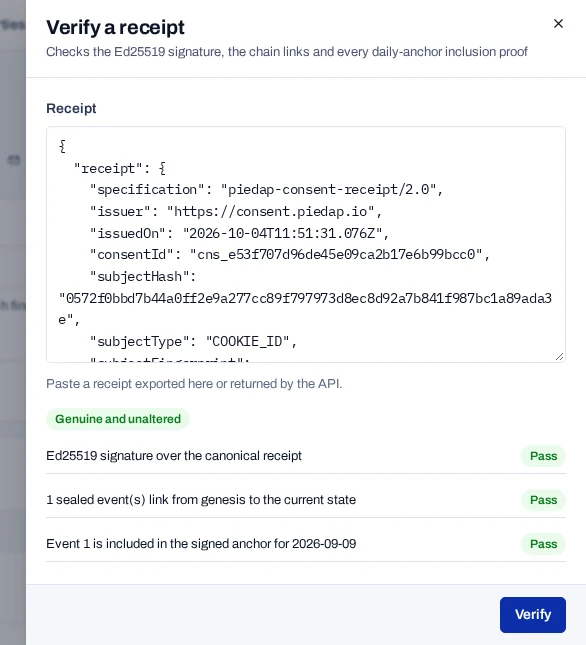
- Open Records and choose Verify a receipt.
- Paste the whole exported file into Receipt.
- Choose Verify.
The result is Genuine and unaltered or Does not verify. Under it, each check shows Pass or Fail:
- the signature
- the links in the chain
- each daily anchor the receipt includes
If the receipt is not accepted#
| Message | What to do |
|---|---|
| That is not valid JSON. | Paste the file again, from its first character to its last. |
| Paste the whole export: it needs "receipt" and "signature". | Paste the whole file, not only a part of it. |
| Does not verify | Read which check shows Fail: the signature, a link in the chain or an anchor. |