

Export records
Download the consent records that match your filters, or one person's records, as a CSV file for a report, an audit or your own analysis.
Export records when you need them in a spreadsheet, for a report or an audit. The file holds what the page shows: every record that matches your filters, not only the 25 on screen.
Export to CSV#
- Open Records.
- Set the filters under the search box until the list shows the records you want.
- Choose Export CSV at the top of the page.
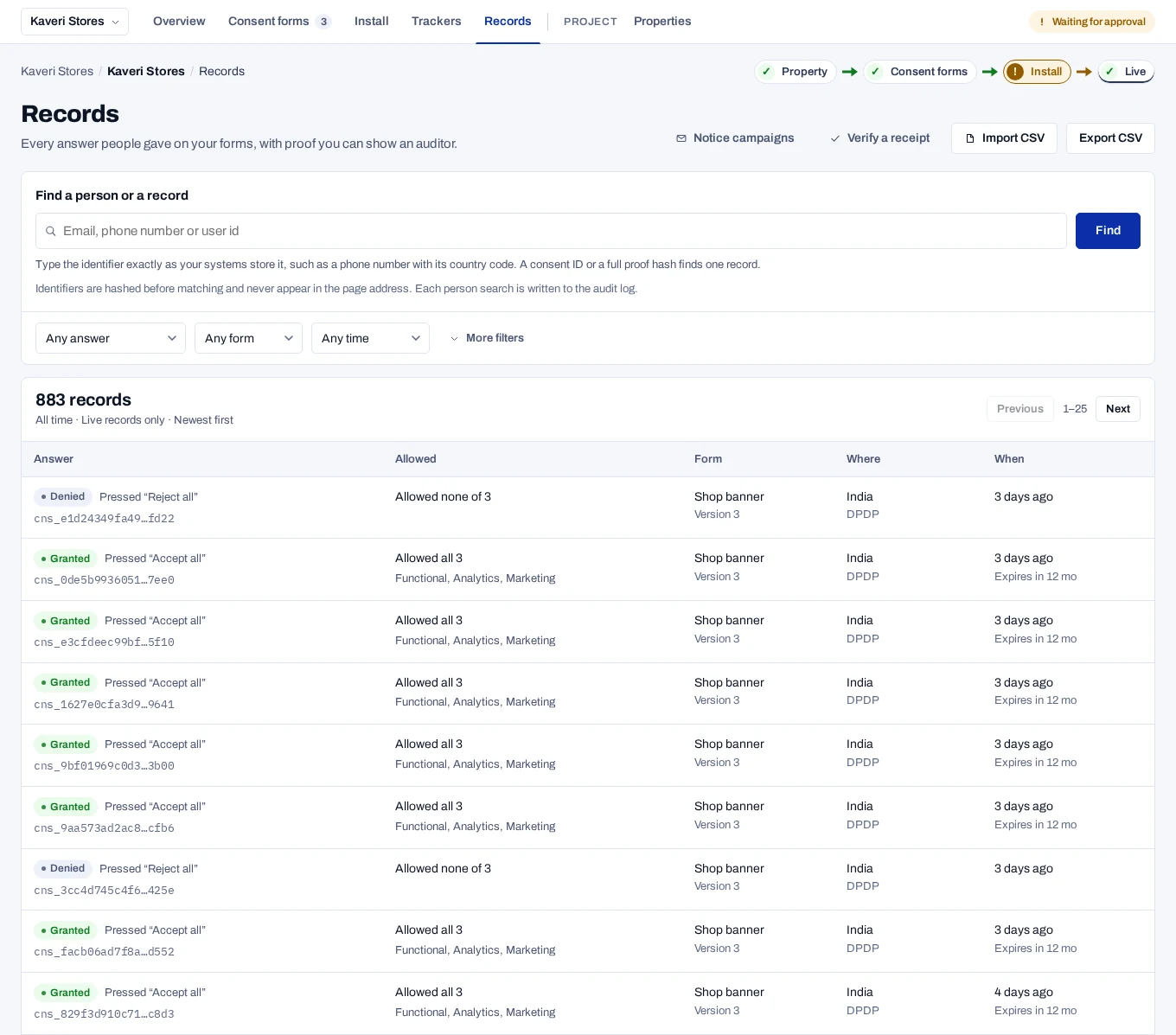
The browser downloads a file named consent-records- followed by the date.
It holds up to 100,000 rows.
To export one person's records, search for them first, as in Find a person. Export CSV then downloads the records listed for that person, up to the newest 100.
Choose the records#
Filters combine, so each one you set narrows the list further. The last four are under More filters, which shows how many of them are set, such as More filters (2).
| Filter | What it does |
|---|---|
| Find a person or a record | A consent ID, which starts cns_, or a proof hash keeps the matching records, live and test. The other filters still apply. |
| Any answer | Granted, Partial, Denied, Withdrawn, Expired or Pending confirmation. |
| Any form | One form of the selected property. |
| Any time | The last 7, 30 or 90 days, or the last 12 months. |
| Any way of answering | What the person did, such as Pressed “Accept all” or Withdrew consent. |
| Live records only | The default. Choose Live and test records or Test records only to see test records. |
| Country code | A two-letter country code, such as IN. |
| Expiring within 30 days | Tick to keep only records that expire in the next 30 days. |
| From one import | Shown when you came from Show records on an import. Keeps the records that import wrote. |
| Given before the Act | Shown when you came from a link with basis=PRE_COMMENCEMENT. Keeps records with that basis. |
If nothing matches, the page says No records match. If only test records match, it says No live records yet and offers Show test records. A link from another page, such as an Overview chart, sets live or test itself.
For an audit, keep Live records only. Test records are not evidence.
What the file contains#
Each line is one record, with:
- the consent id, and whether the record is live or test
- the status, and the collected, expiry and withdrawal dates
- the subject hash and the identifier type
- the form version and the wording hash
- the country and the law
- the source, and the proof hash
- for consent brought in from earlier, the basis, the notice reference and the import's id
- the purposes and partners allowed and declined
The file does not contain identifiers, so you cannot search it by email address. To list the records of one person, use Find a person.
Related#
- Read a record
- Verify a receipt, for signed proof of one record
- Handle a request, to export what you hold for one person