

Replay failed webhooks
Send failed webhook events again from the console once the receiving server is fixed and the endpoint is turned back on.
Do this when a receiving server was down and events failed. Failed events are kept for 30 days, and Failed events on the Install page sends them again.
Before you start#
- The receiving server is fixed.
- The endpoint is on: a replay to an endpoint that is off is refused.
Send the events again#
- Open Install and scroll to the Webhooks panel.
- If the endpoint shows Disabled, turn on the switch on its row. The badge changes to Active, and the failure count is cleared.
- Choose Failed events. Events are grouped by endpoint, newest first.
- To send every failed event of an endpoint, choose Replay all. To send one, choose Replay on its row.
- Watch Recent deliveries. The outbox is read every 15 seconds.
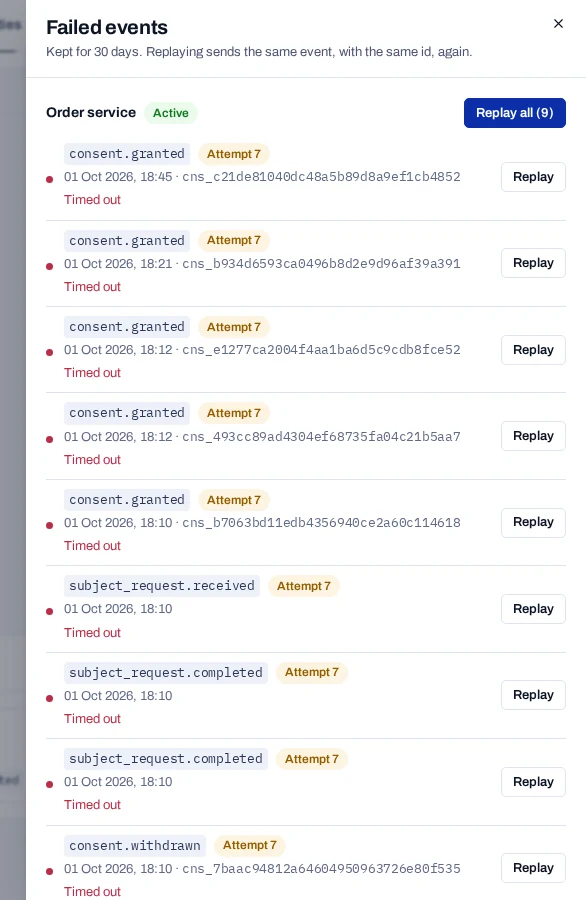
Replay all sends up to 5,000 events at a time. Choose it again while failed events remain. Each replay is written to the audit log as Replayed.
What replay sends#
- The same body and the same
idas the first attempt, so a receiver that drops duplicates byidstays correct. - A fresh timestamp and signature.
- The events in the order they first happened, each with the full retry schedule again.
- A replayed event shows Replayed before if it fails again.
What you cannot replay#
- Events older than 30 days. The daily clean-up has deleted them.
- Events about a person erased since. That is an event about an erased record, about a person a notice campaign removed on erasure, or a received rights request whose person was erased after it arrived. They stay failed, so no copy of an erased person's data goes out again. The console says how many.
subject.erasedandsubject.erased_inactiveare replayed, so your systems still learn of the erasure.
Events that happened while an endpoint was off are kept as failed, with the error Endpoint was off when the event happened. They can be replayed like the others.
Without the console#
On your own deployment, the same can be done in SQL. Set the endpoint's enabled to true first.
UPDATE webhook_outbox
   SET status = 'PENDING',
       attempts = 0,
       "nextAttemptOn" = now(),
       "lastError" = NULL,
       "replayedOn" = now(),
       "replayCount" = "replayCount" + 1
 WHERE status = 'FAILED' AND "endpointId" = '<endpoint id>';
This sends events of erased records too, and in no set order. Prefer the console.