

Style the banner
Restyle the banner with custom CSS or replace its first layer with your own HTML, and keep accept and reject equal so your styling is used.
Use custom CSS or a custom first layer when the theme settings do not go far enough. Both are saved with the form's draft and used from the next version you publish. Set placement, colours and font first, as in Change the look.
Add custom CSS#
-
In the console, open Consent forms and choose the form.
-
On the Look tab, open Brand, colours and custom code, then Custom CSS.
-
Enter your rules.
CSS .pc-banner[data-placement="BOTTOM_BAR"] { border-top: 3px solid var(--pc-accent); } .pc-btn { min-height: 44px; } -
Check the preview at the top of the panel. A badge says Your layout or Built-in layout.
-
Choose Save draft, then publish the form.
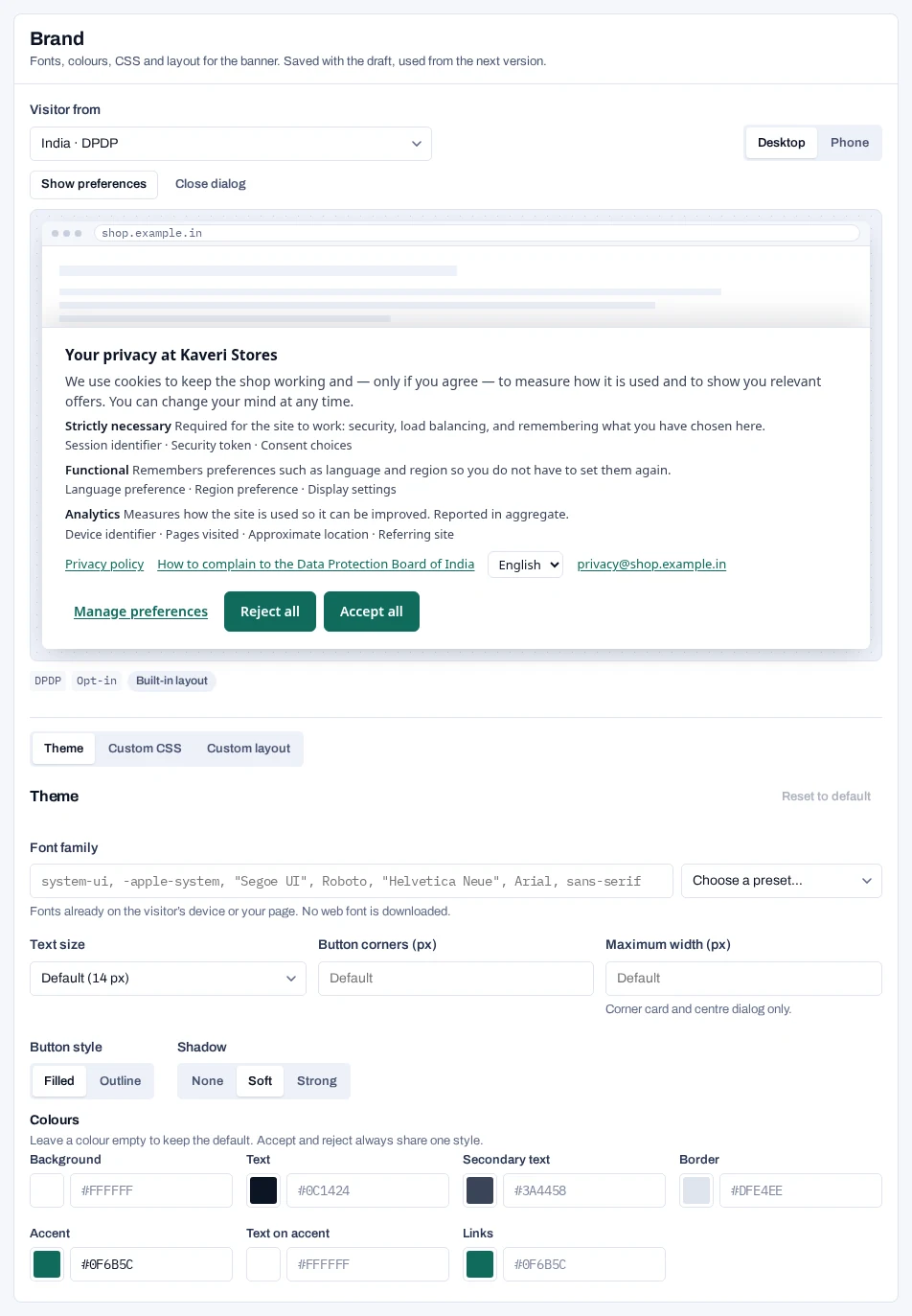
The banner is drawn inside a shadow root. Your CSS is added there after the built-in stylesheet, so it cannot reach your page, and your page's CSS cannot reach the banner. The limit is 20,000 characters.
| Selector | What it is |
|---|---|
.pc |
The root. Carries dir, lang and the custom properties |
.pc-banner |
The first layer, with [data-placement] and [data-model] |
.pc-title, .pc-body, .pc-actions |
Parts of the built-in first layer |
.pc-btn, .pc-btn-primary, .pc-btn-text |
Buttons. Accept and reject are both .pc-btn-primary |
.pc-dialog, .pc-purpose, .pc-switch |
The preferences dialog and its rows |
.pc-reopen |
The floating privacy button |
Custom properties, dark mode and right-to-left
Override these on .pc: --pc-surface, --pc-ink, --pc-muted, --pc-line, --pc-divider, --pc-wash, --pc-accent, --pc-on-accent, --pc-accent-text, --pc-ok, --pc-font, --pc-font-size, --pc-radius, --pc-button-radius and --pc-max-width.
The banner does not switch to dark colours on its own. To follow the visitor's device, override the colours in a media query:
@media (prefers-color-scheme: dark) {
  .pc {
    --pc-surface: #111827;
    --pc-ink: #F3F4F6;
    --pc-muted: #C7CCD6;
    --pc-line: #374151;
    --pc-accent: #8AB4FF;
    --pc-on-accent: #0C1424;
    --pc-accent-text: #A9C7FF;
  }
}
Theme colours are contrast-checked. Colours set in custom CSS are not, so test them. For right-to-left languages the runtime sets dir="rtl" on .pc, so use logical properties such as padding-inline-start.
CSS that is refused
Saving is refused, with the snippet named, when the CSS contains @import, </style, expression(, behavior:, -moz-binding, javascript:, a :host rule, image-set(), image(), cross-fade() or src(). A url(…) must be https: or a data:image/ address.
Replace the first layer#
In the Custom layout tab, enter HTML that replaces the first layer. The preferences dialog stays built-in and follows your theme and CSS.
<div class="shop-consent">
  <h2>{{title}}</h2>
  <p>{{body}}</p>
  {{notice}}
  <p>{{links}}</p>
  {{gpc}}
  <div class="pc-actions">
    <button class="pc-btn pc-btn-text" data-action="manage">
      Choose purposes
    </button>
    <button class="pc-btn pc-btn-primary" data-action="reject-all">
      Reject all
    </button>
    <button class="pc-btn pc-btn-primary" data-action="accept-all">
      Accept all
    </button>
  </div>
</div>| Piece | What it does |
|---|---|
{{title}}, {{body}} |
The form's title and body in the visitor's language. Both are required |
{{notice}} |
The itemised purposes under India's DPDP Act, and the IAB TCF summary |
{{links}} |
The privacy policy, complaint and Your rights links and the language chooser |
{{gpc}} |
The line saying a Global Privacy Control signal was honoured |
data-action |
On a <button> or <a>: accept-all, reject-all, manage, dismiss or do-not-sell |
What the layout must offer:
- Opt-in visitors:
accept-allandreject-all, andmanageunless Show the preferences link is off. - Opt-out or notice-only visitors:
manageordismiss. - Visitors under India's DPDP Act:
{{notice}}and{{links}}. - Visitors shown IAB TCF disclosures:
{{notice}}.
Use each placeholder once, in text. Text you write yourself is shown as written in every language. Scripts, styles, forms, frames and event handlers are not allowed: saving refuses the layout and names each one. Publishing checks the layout against every enabled region rule that sends visitors to the form.
Keep accept and reject equal#
Refusing is never harder than accepting. The runtime checks this in the visitor's browser, after your CSS and layout are applied.
- A layout that lacks a required choice for this visitor is not used.
- If accept or reject is hidden, or they differ in size, font, weight, colour, background, border or padding, your CSS and layout are both set aside.
The built-in layer is drawn instead, and the reason is logged to the browser console with the prefix [piedap-consent]. Give both buttons the same classes, and never style one by its data-action.