

Match events to your users
Tell which of your users a webhook is about, by the consent id you saved, the subject fingerprint or a readable reference.
The service does not know your users. A webhook names a person by a consent id and a fingerprint, not by an email address. Set up one of three ways to tell whom an event is about.
Choose a way#
| Way | How | Works for |
|---|---|---|
| Consent id | Save consentId next to the user when you record consent, then look up data.consentId |
Every consent and subject event |
| Fingerprint | Compute the fingerprint of the identifier you record under, and compare it with data.subject.fingerprint |
Consent events and subject.erased |
| Reference | Turn on Store a reversible subject identifier, then read data.subject.reference or data.subjectReference |
Consent events, subject.erased, subject.erasure_notice, subject.erased_inactive |
Use the consent id for records your server writes. Add the fingerprint for records the banner writes for a signed-in visitor: those have consent ids your server never saw.
Match by consent id and fingerprint#
-
When you record consent, save the returned
consentIdon the user. -
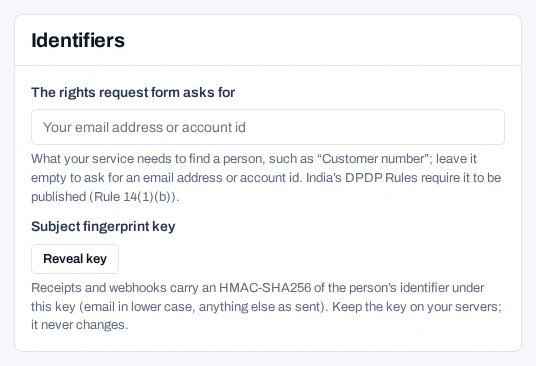
In the console's project settings, open For your developer, find Identifiers and choose Reveal key under Subject fingerprint key.
-
Store the key,
sfk_…, on your server asPIEDAP_FINGERPRINT_KEY. Each reveal is written to the audit log. -
Compute each user's fingerprint and save it on the user.
Node.jsJavaScript import { subjectFingerprint } from '@piedap/consent/server'; const fingerprint = subjectFingerprint( process.env.PIEDAP_FINGERPRINT_KEY, 'usr_8f2K1xQz', 'USER_ID', );Python import os from piedap_consent import subject_fingerprint fingerprint = subject_fingerprint( os.environ["PIEDAP_FINGERPRINT_KEY"], "usr_8f2K1xQz", "USER_ID" )Shell printf '%s' 'usr_8f2K1xQz' \ | openssl dgst -sha256 -hmac "$PIEDAP_FINGERPRINT_KEY" -r \ | cut -d' ' -f1 -
In your receiver, look the user up by consent id first, then by fingerprint, then by reference.
JavaScript function userFor(data) { const byConsent = users.findByConsentId(data.consentId); if (byConsent) return byConsent; if (data.subject?.fingerprint) { const match = users.findByFingerprint(data.subject.fingerprint); if (match) return match; } const reference = data.subject?.reference ?? data.subjectReference; return reference ? users.findById(reference) : null; }
users stands for your own user store. Withdraw a test record and check that userFor returns the right user.
The fingerprint key is made on first use and never changes, so a fingerprint you saved keeps matching. Keep the key on your servers.
When an event does not match#
- The fingerprint is of the identifier the record was recorded under. If you record under a user id and link an email address, the fingerprint matches the user id, not the email address.
- The banner records visitors who are not signed in under a random browser id. You cannot match those to a user unless the page links an identifier you can find them by. Then look them up with
findSubject. subject.erasure_noticeandsubject.erased_inactivecarry no fingerprint. Keep consent ids, or store a readable reference, if your project erases people for inactivity.- A fingerprint is
nullon a record that was already erased. The events sent by an erasure still carry it, taken before the erasure.