

Install on a website
Add the consent runtime to every page with one script tag, set its options, and pin a version or bundle it with npm.
Add one script tag to every page. The runtime then shows the right form to each visitor, holds tags until they are allowed and records the answer.
Before you start#
- A publishable key, which starts with
pk_. See Create a key. - A published form and a region rule that covers your visitors. Set up your first banner covers both.
Add the script tag#
-
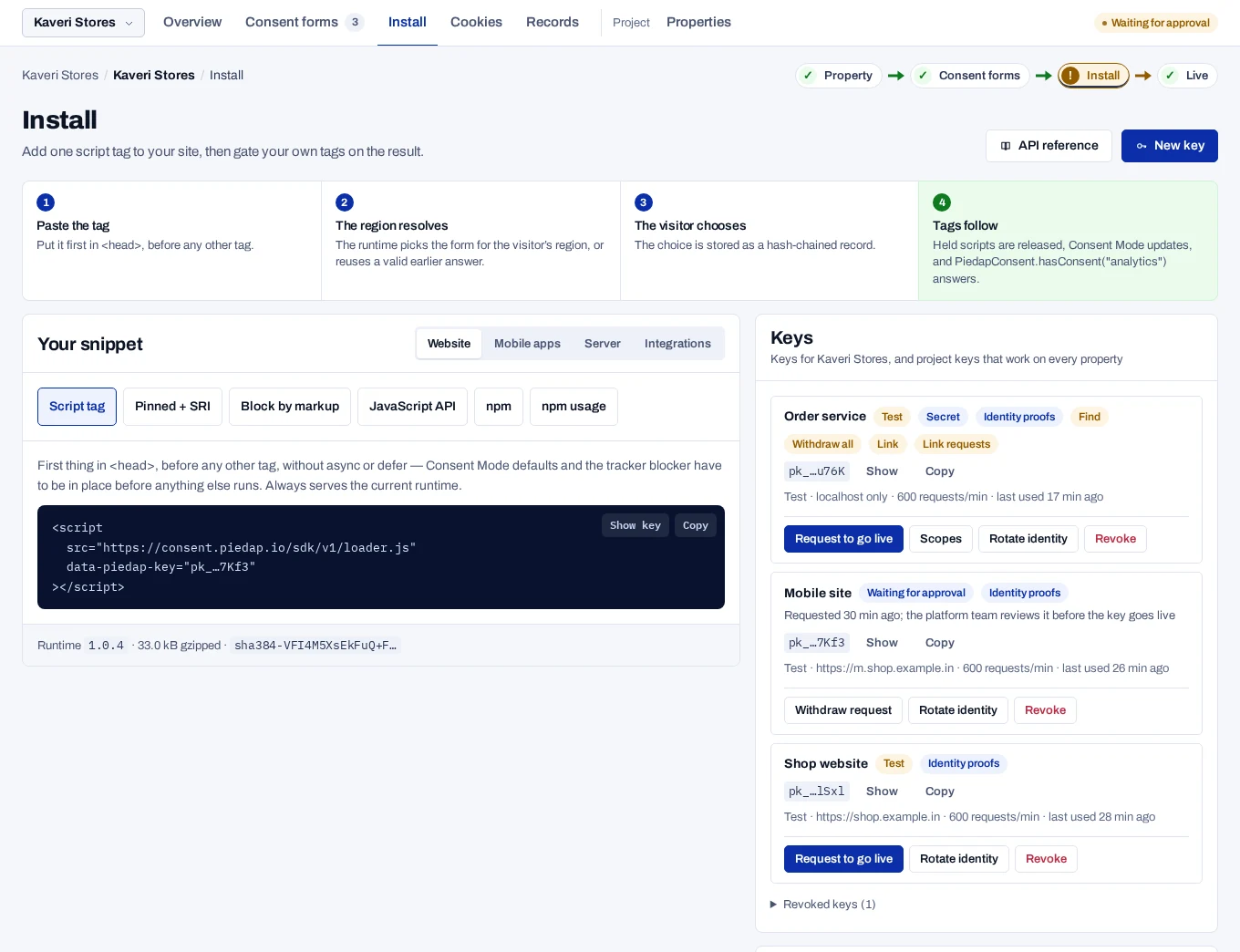
In the console, open Install and find Your snippet.
-
Under Website, choose Script tag and copy the tag. It carries your key.
HTML <script src="https://console.dpconsent.com/consent/sdk/v1/loader.js" data-piedap-key="pk_…"></script> -
Paste it as the first script in
<head>. A<meta charset>may come before it. -
Leave out
asyncanddefer, and do not load the file as a module. -
Put the tag on every page, once. A second tag on the same page is ignored.
-
Open a page of your site.
The banner appears. After you answer, PiedapConsent.consentId in the browser console returns an id that starts with cns_, and the record is listed under Records. If no banner shows, see Banner and tag problems.
The tag goes first because tags that ran before the runtime cannot be recalled. Google tags must also see the Consent Mode defaults before they start. Tools that defer or bundle scripts must leave this tag alone.
If the API cannot be reached, the runtime keeps what this browser already decided and asks nothing new. With no stored choice, everything optional stays off.
After a choice, a floating privacy button reopens the preferences. To use your own link as well, mark any element with data-piedap-open.
<a href="#" data-piedap-open>Privacy settings</a>Set options#
Options are data-piedap-* attributes on the tag. Only the key is required.
<script src="https://console.dpconsent.com/consent/sdk/v1/loader.js"
data-piedap-key="pk_…"
data-piedap-cookie-domain=".example.in"
data-piedap-allow-hosts="cdn.example.in, pay.example.in"></script>For values that are not plain text, set window.PiedapConsentConfig before the tag. A value set there wins over the same attribute.
<script>
window.PiedapConsentConfig = {
blockedHosts: { 'tracker.example.com': 'MARKETING' },
metadata: { storeRegion: 'south-india' },
};
</script>
<script src="https://console.dpconsent.com/consent/sdk/v1/loader.js"
data-piedap-key="pk_…"></script>Every option, with its type and default, is in Browser runtime options.
Load it another way#
Pin one version with Subresource Integrity
loader.js moves to each new runtime version on its own. To run one exact build, copy the Pinned + SRI tag, under Other ways to install, from the same list. It carries the real hash.
<script
  src="https://console.dpconsent.com/consent/sdk/v1/runtime/1.0.7/piedap-consent.min.js"
  integrity="sha384-…"
  crossorigin="anonymous"
  data-piedap-key="pk_…"
  data-piedap-api="https://console.dpconsent.com/consent"></script>
The browser refuses the file if a single byte changes. To upgrade a pinned site, change the tag. See SDK versions.
Bundle it with npm
Your deployment serves the package. It is not on a public registry.
npm install \
https://console.dpconsent.com/consent/sdk/v1/packages/piedap-consent-1.0.7.tgzimport { createConsent } from '@piedap/consent';
export const consent = createConsent({
apiUrl: 'https://console.dpconsent.com/consent',
publicKey: 'pk_…',
});The object has the same methods as window.PiedapConsent, but no global is created. The package does not read options from a script tag or from window.PiedapConsentConfig. It starts when your bundle runs, so scripts earlier in the HTML are not held automatically. Mark those up as in Hold tags until consent. Create it in code that runs only in the browser.
Serve the file from a CDN
When the script comes from a CDN, add data-piedap-api. Without it, the runtime takes the CDN's address as the API.
<script src="https://cdn.example.in/sdk/v1/loader.js"
        data-piedap-key="pk_…"
        data-piedap-api="https://console.dpconsent.com/consent"></script>